Love Maniac (LoveManiac) - Play Online
Some games need one more click inside the player to start or resume. Allow extra time on the first load.
LoveManiac Browser Controls
| Input | Action |
|---|---|
| Up / Down | Change the highlighted main-menu item. Verified between PLAY and OPTIONS. |
| Enter | Open the highlighted menu item. Verified by opening OPTIONS. |
| Tab / Shift+Tab | Move forward or backward between controls in OPTIONS. |
| Left / Right | Decrease or increase a focused volume slider. Verified on Master volume. |
| Tab to X, then Enter | Close OPTIONS and return to the main menu. |
The main menu identifies this browser export as v0.3.3. It is not the newer public download or the 0.3.6 early-access release.
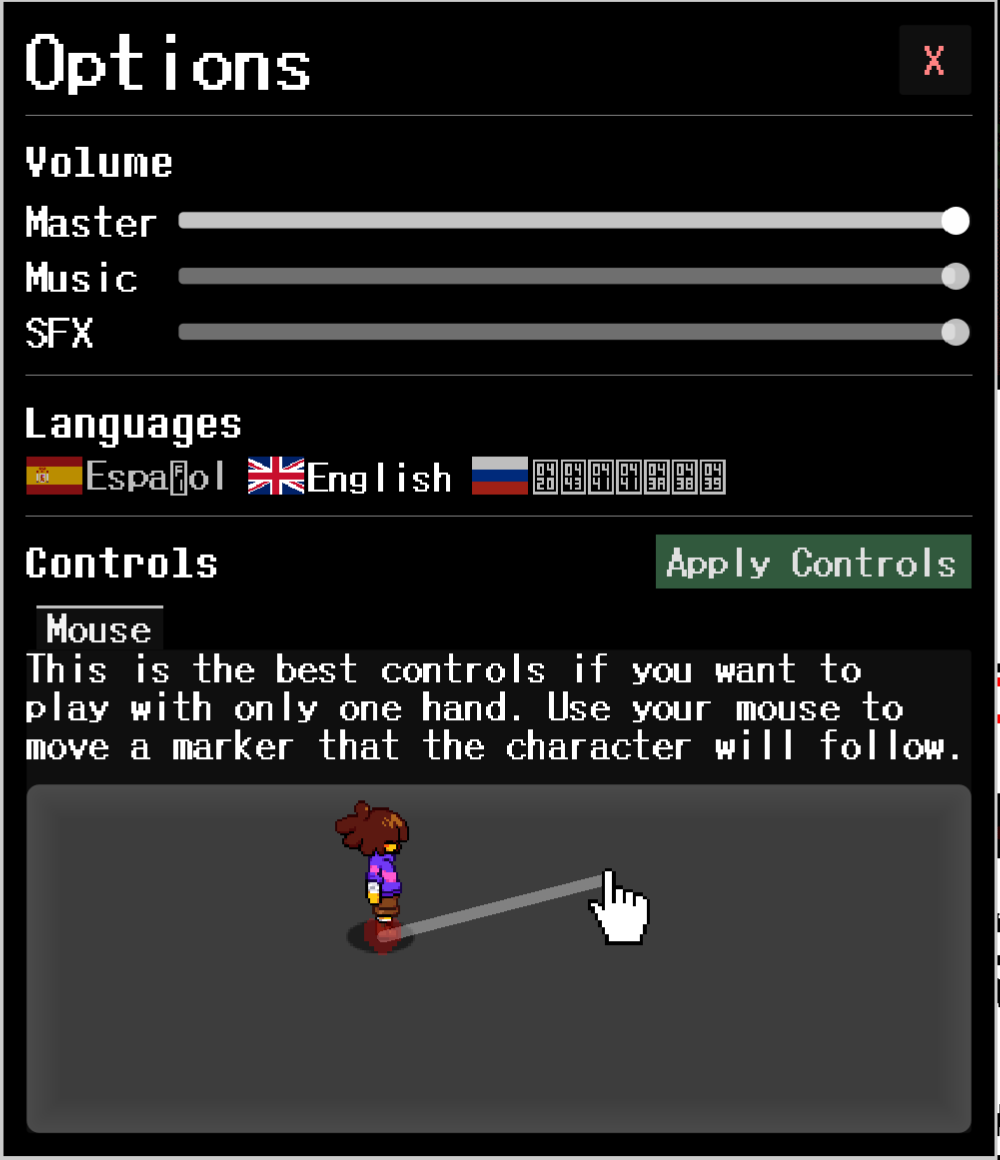
OPTIONS shows Mouse mode and says the character follows a mouse-controlled marker. We verified the menu and settings keys above, not combat movement, attack keys, mobile touch controls or progress persistence. Do not assume WASD, Z or X bindings from other Undertale games.
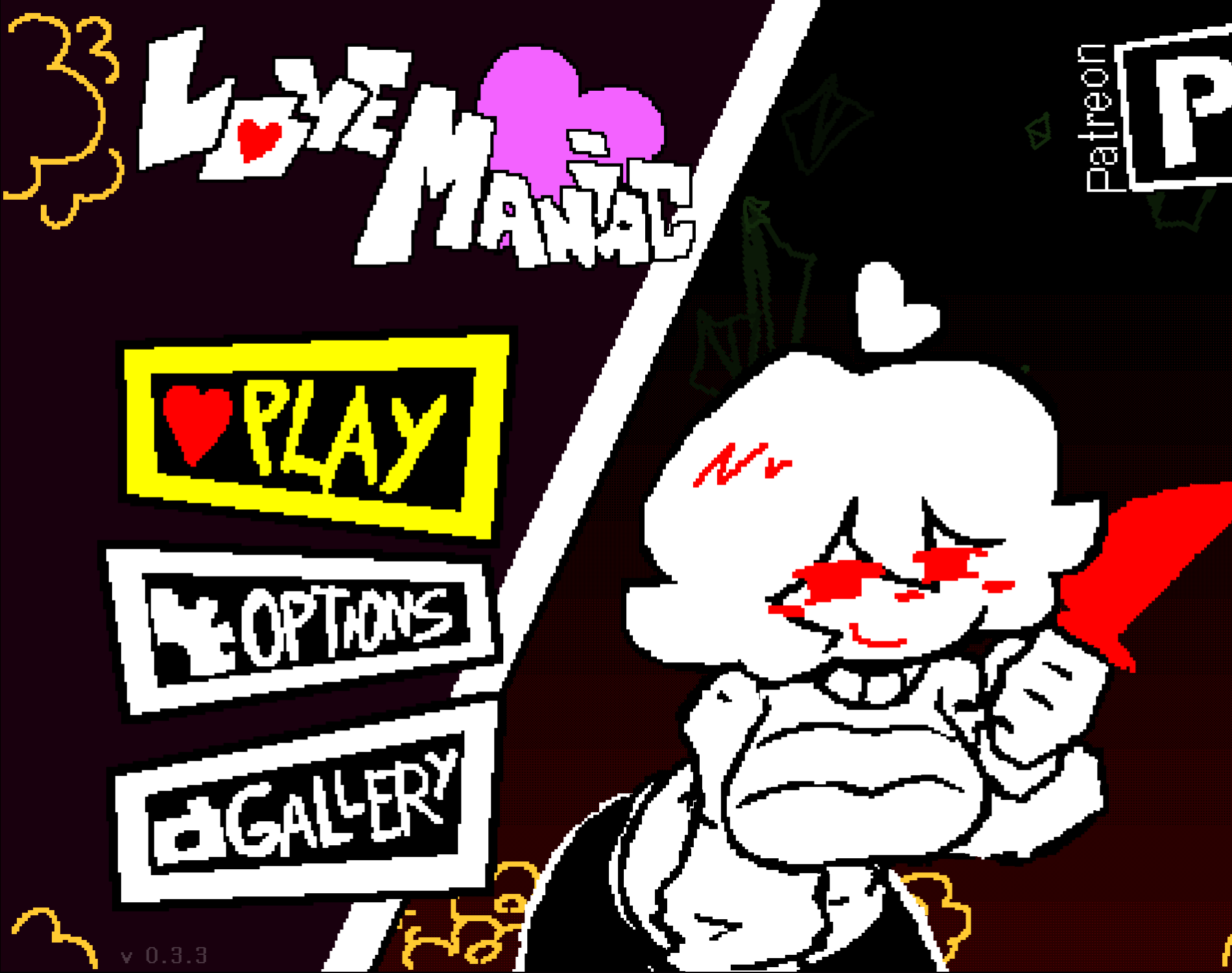
Love Maniac, officially styled LoveManiac, is an 18+ pixel-art RPG by Team Nebula. It combines Undertale-inspired bullet-dodging battles against Chara with dialogue and parody storytelling. Play the browser build here without installing an app, or use Team Nebula's official itch.io listing for downloads and release notes. GameVertex is an independent browser-game site, not the developer; this fan-made parody is not an official Undertale release or affiliated with Toby Fox.
How to Play LoveManiac
- Start the browser build and allow the Godot loading bar to finish; the engine and game package total about 81 MB before transfer compression.
- Click inside the player so keyboard input reaches the game. On the v0.3.3 main menu, use Up/Down to highlight PLAY or OPTIONS and Enter to open the highlighted item.
- Follow the game's displayed movement and action prompts. Read dialogue and menu choices before advancing into Chara's battle patterns.
- During a dodge phase, watch for gaps in the incoming pattern and make small movements instead of sweeping across the entire battle area.
- On a retry, focus on learning one attack pattern at a time. If controls stop responding, reselect and apply the input method before restarting the encounter.
Love Maniac Gameplay: Dialogue and Chara Battles
LoveManiac alternates between story scenes, menu decisions and active dodging. The combat is not just a dialogue choice: you need to steer through attack patterns, so checking movement before a battle matters more than advancing through the introduction quickly.
For a first attempt, watch the shape and timing of each incoming pattern. Move only far enough to reach a gap, then prepare for the next wave. A keyboard is worth trying if small touchscreen adjustments make repeated dodges difficult.
LoveManiac Controls on Desktop and Mobile
Team Nebula lists keyboard and touchscreen input, plus subtitles and one-button accessibility, on the official game page. Exact prompts can differ between releases, so use the controls shown in your running build rather than assuming every Undertale shortcut applies.
In our desktop v0.3.3 check, Up/Down changed the main-menu selection, Enter opened OPTIONS, Tab/Shift+Tab moved between settings, and Left/Right adjusted a focused volume slider. OPTIONS displayed Mouse mode: move a marker with the mouse and the character follows it. That mode description is from the running build, not a verified battle test. Mobile touch movement and battle action keys were not tested in this check.
Love Maniac Versions and Official Downloads
Source check on October 15, 2026: Team Nebula's itch.io listing shows public 0.3.5_2 downloads for Windows, Linux and Android, and a 0.3.4_3 Mac package. Its September 26 devlog labels 0.3.6 as Early Access for Galaxy and Nebula supporters. An early-access announcement does not mean the public download or every browser export has been updated.
Our October 15 browser check found v0.3.3 displayed on this export's main menu. This is an older browser build, not 0.3.5_2 or 0.3.6, and content and controls may differ from newer downloads. For current PC packages, the Android APK and supporter access, follow the Team Nebula developer link in the game details. GameVertex does not provide an APK installer or mirror paid early-access packages.
Loading, Black Screens and Browser Progress
The initial engine and game files total about 81 MB before transfer compression, so first launch can take time on a mobile connection. Wait while the loading indicator advances. If it stalls or reports an error, retry once on a stable connection and check that the browser can load the game's external assets; repeated refreshes can interrupt a download that is still progressing.
For a persistent black screen, try an up-to-date browser with WebGL support and hardware acceleration available. Browser progress should not be treated as a cloud backup: private browsing, cleared site data or a different device may not retain the same state. Check that your progress returns in the same browser before relying on it for a long session.
LoveManiac FAQ
- Are Love Maniac and LoveManiac the same game?
- Yes. LoveManiac is Team Nebula's official styling; Love Maniac is the spaced spelling used for the same 18+ Undertale fan parody RPG.
- Can I play Love Maniac online without downloading an app?
- Yes. This page launches a Godot browser export without an app installation. The browser still needs to download the engine and game assets when you start it.
- Who made LoveManiac, and is it an official Undertale game?
- Team Nebula develops LoveManiac. It is an independent adult fan parody, not an official Undertale game and not affiliated with or endorsed by Toby Fox. GameVertex is not the developer.
- Can I play LoveManiac on mobile?
- The developer lists touchscreen support. Select and apply touch input in the game settings, then check movement before combat. A desktop keyboard may be easier for precise dodging; performance depends on your browser and device.
- Is the browser game LoveManiac 0.3.6?
- No. Our October 15, 2026 browser check found v0.3.3 on this export's main menu. The official page lists newer 0.3.5_2 public Windows, Linux and Android packages, while its 0.3.6 announcement is marked Early Access. Content can differ between these builds.
- Why does Love Maniac take time to load or ignore my keyboard?
- First launch fetches about 81 MB of engine and game files before transfer compression. Let loading finish, then click inside the player. If movement still fails, reselect your input method in the game settings and apply it.
- Is LoveManiac suitable for children?
- No. Team Nebula marks the game as an adult parody for players aged 18 and over. Read the official content warnings and only play if you meet the legal age requirement in your location.
Tune your recommendations
Was this your kind of game?
Related Games

Your recent games